I have been slowly moving more of my services over to being properly highly available in my homelab and recently noticed I had been neglecting a core service, Home Assistant. I run HAOS in a VM and while the VM itself is highly available and happy to migrate between my nodes, there is a human requirement to get everything fully back up and running. I have to scurry over and move the Sonoff Zigbee USB dongle from one Proxmox node to the other. An automatic failover results in me realizing it has happened when suddenly I can no longer control my lights and outlets. My UPS has the same problem since it is also attached over usb. If I want to keep getting live data from it in Home Assistant, I need to move it as well. A PoE based zigbee dongle would survive a failover since it lives on the network, but that would mean purchasing new hardware.
I figured there has got to be some way to proxy the usb connection over the network if I can plug both of these usb devices into a spare Raspberry Pi that I use as my Corosync QDevice. This way I could just have the HAOS VM be connected continuously during live migrations between my Proxmox nodes as long as the Raspberry Pi is running. It turns out someone else solved that problem for me starting all the way back in 2005. Since kernel 3.17 usb-ip has been in the kernel so using it is dead simple: the Raspberry Pi runs the usbip daemon and serves the devices over the network while the HAOS VM attaches to them as a client. All I need to know is which usb devices the Pi needs to serve.
Running lsusb on the Pi gives
Bus 002 Device 001: ID 1d6b:0003 Linux Foundation 3.0 root hub
Bus 001 Device 004: ID 10af:0001 Liebert Corp. PowerSure PSA UPS
Bus 001 Device 003: ID 10c4:ea60 Silicon Labs CP210x UART Bridge
Bus 001 Device 002: ID 2109:3431 VIA Labs, Inc. Hub
Bus 001 Device 001: ID 1d6b:0002 Linux Foundation 2.0 root hub
Now my goal is to proxy my UPS and the Sonoff dongle. I can easily tell that 10af:0001 Liebert Corp. PowerSure PSA UPS is the UPS, but I’m not positive that 10c4:ea60 Silicon Labs CP210x UART Bridge is the Sonoff dongle. Putting a -v verbose flag on the command dumps the full output which then makes it super obvious that my guess was correct.
Bus 001 Device 003: ID 10c4:ea60 Silicon Labs CP210x UART Bridge
  ...
  idVendor           0x10c4 Silicon Labs
  idProduct          0xea60 CP210x UART Bridge
  bcdDevice            1.00
  iManufacturer           1 Itead
  iProduct                2 Sonoff Zigbee 3.0 USB Dongle Plus V2
  iSerial                 3 80bcfdbfd48bee118710fc018acbdcd8
  ...
It was at this point that I began testing and binding devices but quickly ran into an issue with the bus ids changing on reboot. Using a command like usbip attach -r server_IP_address -b 1-1.4 would only work for the current boot. Since ids were changing I would need to do some sort of lookup in order to persist this across boots. Thankfully that problem has also already been solved by using vendor/device id instead of the bus id.
First I needed a service to kickstart the usbip daemon on the Raspberry Pi. This one goes in /etc/systemd/system/usbipd.service:
[Unit]
Description=USB/IP daemon
After=network.target

[Service]
Type=forking
ExecStart=/usr/sbin/usbipd -D

[Install]
WantedBy=multi-user.target
Then we need to bind to the usb devices. The Arch wiki has an example for this in its Binding by vendor/device ID section under Tips and tricks, which I saved as /etc/systemd/system/usbip-bind@.service. The @ makes it a template unit. This way whatever you put after the @ when enabling it gets passed in as %i, which is how the vendor/device id gets in there. I did need to adjust the paths for this one though since Debian uses /usr/sbin for these binaries instead of /usr/bin.
[Unit]
Description=USB-IP Binding device id %I
After=network-online.target usbipd.service
Wants=network-online.target
Requires=usbipd.service

[Service]
Type=simple
ExecStart=/bin/sh -c "/usr/sbin/usbip bind --$(/usr/sbin/usbip list -p -l | grep '#usbid=%i#' | cut '-d#' -f1)"
RemainAfterExit=yes
ExecStop=/bin/sh -c "/usr/sbin/usbip unbind --$(/usr/sbin/usbip list -p -l | grep '#usbid=%i#' | cut '-d#' -f1)"
Restart=on-failure

[Install]
WantedBy=multi-user.target
Now, all I need to do is just enable everything
systemctl enable usbipd
systemctl enable usbip-bind@10c4:ea60.service
systemctl enable usbip-bind@10af:0001.service
And then go over to Home Assistant to turn on my usbip client. I have had rock solid performance from https://github.com/cryptedx/ha-usbip-client, which you add to Home Assistant as a custom app repository. For use with any other VM I would probably go the route of a systemd service on the client, but HAOS doesn’t expose systemd configuration and is very limited in terms of control so the app is the simplest way.
In the HA USB/IP Client app all you need to do is configure the ip address of the device that is hosting the usbip devices, let it connect, bind to the device ids, and then you’re done. They will now connect automatically when HAOS starts up.
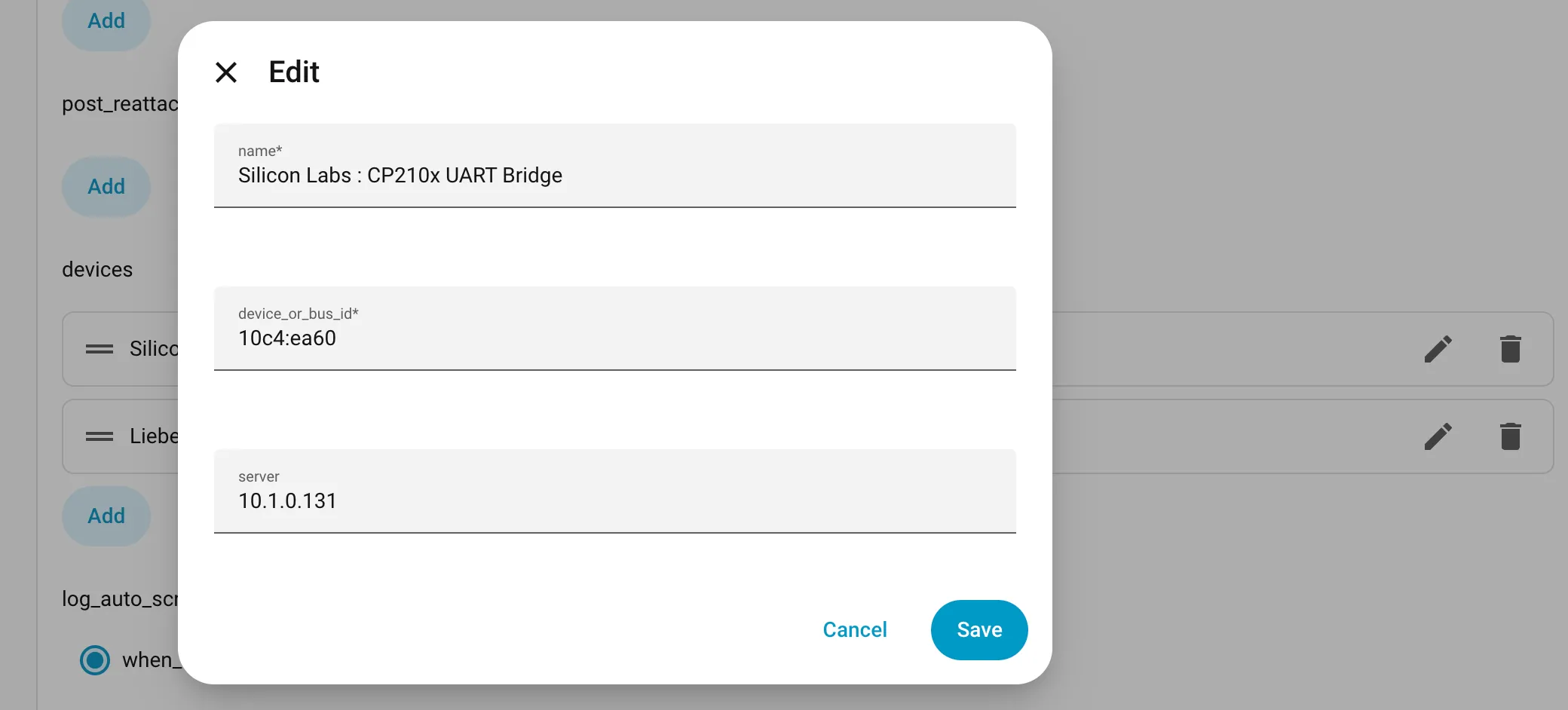
Now you can use the devices like they were natively passed through to the HAOS VM. I can now migrate HAOS between the nodes, live or during maintenance reboots, and not lose my Zigbee devices. While the Raspberry Pi is admittedly a single point of failure for the usb devices now, there always was one before, and this way failover no longer requires a human to physically move them.